Managing online accounts has become part of daily life. From email and shopping apps to banking and cloud storage, most people now rely on dozens of logins. With tools like password managers, biometrics, and passkeys becoming more common, a fair question comes up: do you still need two-factor authentication?
This article explains what two-factor authentication (2FA) still does well, where it fits alongside modern security tools, and how everyday users can think about account protection in practical terms.
Why Two-Factor Authentication Exists in the First Place
Passwords alone were never designed to handle today’s threat landscape. People reuse passwords, choose weak ones, and sometimes fall for phishing attempts. When a password is exposed in a breach, attackers can often reuse it across multiple services.
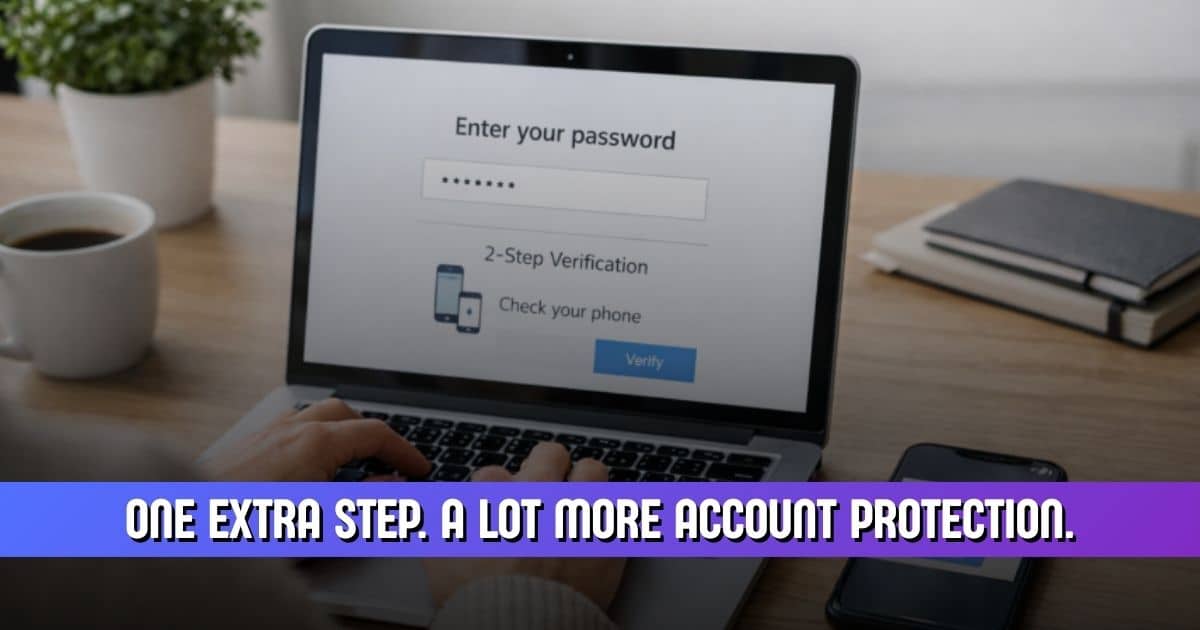
Two-factor authentication adds a second check before access is granted. This usually combines:
- Something you know (your password)
- Something you have (a phone, app, or security key)
Security researchers have long supported this layered approach. Microsoft reported that enabling a second verification step can block over 99% of automated account attacks (Microsoft Security Blog). This is why 2FA became a default recommendation across major platforms.
What Has Changed Since Two-Factor Authentication Became Common
Several improvements have changed how people secure their accounts:
- Password managers now generate and store strong, unique passwords
- Operating systems use secure hardware to protect sensitive data
- Platforms monitor logins for unusual behavior
- Alternatives like biometrics and passkeys are more available
These changes reduce certain risks, especially password reuse. However, they do not remove the core problem of stolen credentials. Verizon’s Data Breach Investigations Report continues to show that compromised login details remain one of the most common causes of breaches (Verizon DBIR).
Does Two-Factor Authentication Still Reduce Risk Today?
Yes. Even with newer tools, two-factor authentication continues to block many real-world attacks. Most account takeovers still start with stolen passwords from phishing emails or breached databases. A second verification step prevents access even when a password is correct.
Google shared that users who enable app-based verification prompts are far less likely to experience account compromise compared to password-only users (Google Security Blog).
That said, 2FA is not flawless. SMS-based codes can be intercepted through SIM swap attacks, and some users approve login prompts too quickly. These risks explain why security guidance now favors app-based or device-based methods over text messages.
Where Two-Factor Authentication Matters the Most
Some accounts deserve stronger protection because they act as gateways to others.
High-risk accounts
- Email accounts, which control password resets
- Financial services, including banking and payment apps
- Cloud storage, where personal documents are stored
The U.S. Cybersecurity and Infrastructure Security Agency advises enabling multi-factor authentication on these accounts whenever available (CISA).
Accounts people often underestimate
- Online shopping profiles with saved payment methods
- Social media accounts tied to identity verification
Even if these accounts seem low-risk, access can still lead to financial loss or identity misuse.
Where Two-Factor Authentication May Feel Less Critical
Some low-risk services, such as forums or apps with no personal data, may already use safeguards like device recognition or limited access permissions. In these cases, 2FA adds less visible benefit.
Still, reduced risk does not mean zero risk. Security guidance generally supports matching protection level to account importance rather than removing safeguards entirely.
How Password Managers Change the Role of Two-Factor Authentication
Password managers address one of the biggest weaknesses in online security: reused passwords. By generating unique credentials and storing them in encrypted vaults, they lower the chance that one breach leads to many compromises.
For example, understanding how Avast Password Manager protects stored passwords helps explain why encrypted vaults and zero-knowledge design reduce exposure if data is intercepted.
However, password managers protect stored credentials, not account access itself. If a device is stolen or malware is present, a second verification step still helps prevent misuse. This is why many security providers recommend combining password managers with two-factor authentication rather than choosing one over the other.
Two-Factor Authentication vs Newer Login Methods
Biometrics
Biometric logins, such as fingerprint or facial recognition, improve convenience and reduce password exposure. They rely on secure hardware within devices and usually do not transmit biometric data to servers. Apple and Android both document how biometric data is stored locally and protected by secure enclaves (Apple Platform Security, Android Security).
Biometrics still depend on device security. If a device is unlocked, account access may follow without an extra check.
Passkeys
Passkeys replace passwords with cryptographic keys tied to a device. They resist phishing because there is no password to steal. The FIDO Alliance explains that passkeys remove shared secrets entirely (FIDO Alliance).
Many platforms still pair passkeys with device verification, which functions similarly to two-factor authentication in practice.
Suggested table placement: Comparison of login methods
| Method | Main Strength | Limitation | Best Use Case |
| Password + 2FA | Blocks stolen passwords | Setup friction | High-value accounts |
| Biometrics | Fast access | Device dependent | Personal devices |
| Passkeys | Phishing resistant | Platform support varies | Modern ecosystems |
Is Two-Factor Authentication Enough on Its Own?
No single security feature works in isolation. Two-factor authentication helps at login, but it does not protect against malware, unsecured devices, or outdated software.
Security organizations consistently recommend layered protection. This includes strong passwords, device updates, secure networks, and trusted tools. Evaluating if Avast Password Manager is safe for everyday users fits into this broader approach depends on how tools work together, not in isolation.
Practical Guidance for Everyday Users
For most people, a balanced approach works best:
- Always enable 2FA on email, financial, and cloud accounts
- Prefer app-based or device-based verification over SMS when possible
- Use a password manager to avoid reused credentials
- Keep devices updated and locked
The National Institute of Standards and Technology supports multi-layered authentication for consumer accounts where feasible.
So, Do You Still Need Two-Factor Authentication?
Two-factor authentication remains useful because the main problem it addresses has not gone away. Stolen passwords are still common, and many attacks succeed because accounts rely on a single check.
While newer tools reduce certain risks, they work best when combined with existing safeguards. For everyday users, 2FA continues to provide meaningful protection, especially on accounts that matter most.
Frequently Asked Questions
Can a password manager replace two-factor authentication?
A password manager reduces password reuse and strengthens credentials, but it does not protect account access on its own. Security guidance from organizations like CISA supports using both together for stronger protection.
Is SMS-based verification still safe to use?
SMS codes are better than no second factor, but they are more vulnerable to SIM swap attacks. NIST notes that app-based methods provide stronger assurance than SMS alone.
Do passkeys make two-factor authentication unnecessary?
Passkeys remove passwords but still rely on device verification. In practice, this often serves a similar role to a second factor, as explained by the FIDO Alliance.
What happens if I lose my authentication device?
Most services provide backup codes or recovery methods. Google and Microsoft both advise storing recovery options securely when enabling account protection.
Should I use two-factor authentication on every account?
Not every account carries the same risk. Security agencies recommend focusing first on email, financial, and identity-related accounts, then expanding protection where practical.
