Imagine this: it’s a regular workday, and suddenly your systems crash. Employees can’t access files, your website goes down, customers complain, and productivity grinds to a halt. For many small and medium-sized business owners, this scenario feels like a distant possibility. But the truth is, it’s often the reality when technology risks go unnoticed.
An IT Assessment is not just a technical exercise, it’s a business survival strategy. It uncovers hidden vulnerabilities, ensures compliance, and gives you a roadmap for scaling your IT systems in alignment with business growth. Yet, many SMBs overlook it, believing IT assessments are expensive or unnecessary luxuries. The reality is quite the opposite: a lack of IT awareness can cost far more in lost revenue, damaged reputation, and missed opportunities.
This article explores why every SMB should prioritize an IT Assessment today. You’ll learn the risks of ignoring it, how it fuels business growth, the role of IT risk assessment, IT maturity assessment, IT infrastructure assessment, and which tools can help.
What is an IT Assessment and Why Does it Matter?
An IT Assessment is a structured evaluation of your company’s technology systems. It examines your infrastructure, policies, security, and processes to determine whether they align with your business needs and industry best practices.
Why SMBs Often Overlook IT Assessments
- Perceived irrelevance: Many small businesses assume only big corporations need them (U.S. Small Business Administration Cybersecurity Tips).
- Cost concerns: Owners fear the assessment will drain budgets.
- Time pressures: They feel daily operations are “too busy” for audits.
The Business Case for IT Assessments
An IT Assessment is not a cost—it’s an investment. It helps you:
- Reduce downtime and improve productivity.
- Mitigate cybersecurity risks (NIST Cybersecurity Framework).
- Ensure compliance with data protection regulations.
- Plan IT resources for long-term growth.
The Risks of Skipping an IT Assessment
Skipping IT assessments exposes your business to unseen dangers.
Common Hidden Vulnerabilities
- Outdated software that invites hackers.
- Weak password practices and poor access controls.
- Lack of backups, making recovery impossible after an incident.
Real Business Consequences
- Downtime = lost revenue: IT downtime costs companies an average of $5,600 per minute (Gartner IT Downtime Analysis).
- Security breaches = lost trust: The global average breach cost reached $4.45 million in 2023 (IBM Cost of a Data Breach Report 2023).
- Compliance issues = fines: Non-compliance with data privacy laws like GDPR or HIPAA can result in hefty penalties (NIST Cybersecurity Framework).
| Incident Type | Average Cost (USD) | Impact on SMBs | Source |
|---|---|---|---|
| IT Downtime (per minute) | $5,600 | Lost productivity, sales, and customer trust | Gartner IT Downtime Analysis |
| Data Breach (avg) | $4.45 million | Revenue loss, legal fees, reputation damage | IBM Cost of a Data Breach Report 2023 |
| Ransomware Attack | $200,000+ (average SMB) | Data loss, recovery costs, compliance fines | SBA Cybersecurity Guide |
IT Assessment as a Roadmap to Growth
An IT Assessment is not just about patching weaknesses—it’s about creating a strategy for growth.
IT Assessment vs IT Risk Assessment
While an IT Assessment evaluates overall systems and infrastructure, an IT risk assessment zeroes in on vulnerabilities. It identifies threats, assesses the likelihood of attacks, and measures potential impact (SBA Guide to Cybersecurity). Both work hand-in-hand: one provides the big picture, the other sharpens your defense strategy.
IT Maturity Assessment
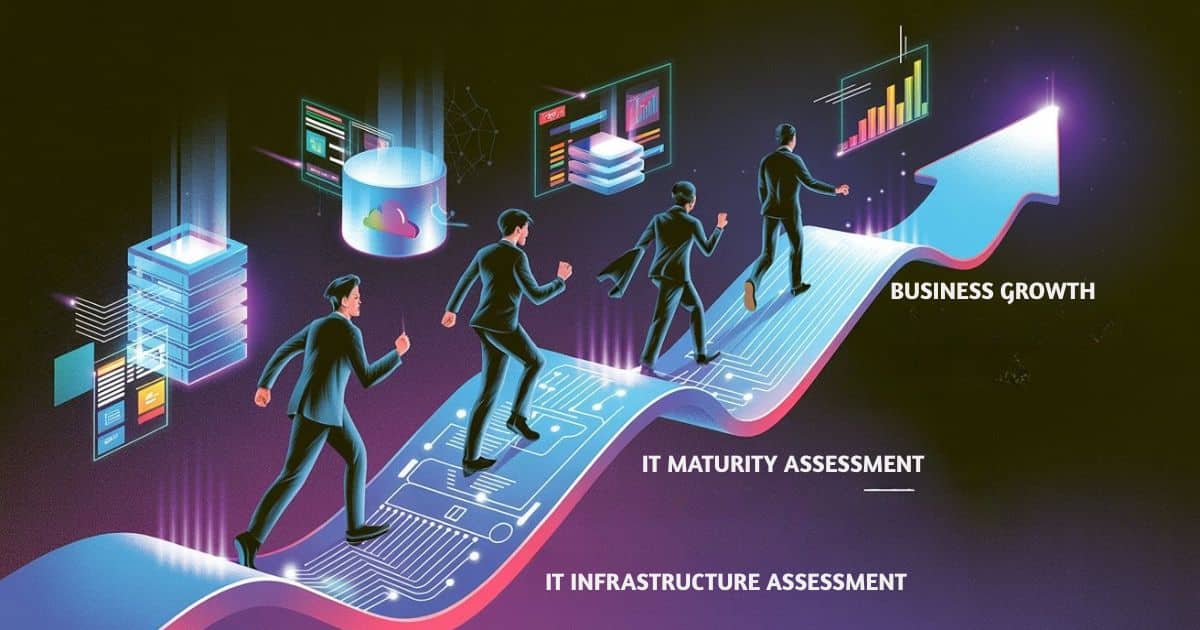
An IT maturity assessment evaluates where your business stands in terms of IT development. Are you reactive (only fixing problems when they occur), or proactive (planning ahead for risks and growth)?
The stages typically include:
- Ad hoc: No formal IT processes.
- Reactive: Issues are fixed after they happen.
- Defined: Processes are documented but inconsistent.
- Managed: IT policies are standardized and monitored.
- Optimized: IT is a driver of business innovation.
How to Approach an IT Infrastructure Assessment
What’s Typically Covered
An IT infrastructure assessment reviews:
- Network security (firewalls, Wi-Fi, remote access).
- Hardware & software inventory (age, compatibility, support).
- Cloud & data practices (storage, access, encryption).
IT Risk Assessment Tools
- Automated scans: Tools like Qualys Vulnerability Management or Nessus.
- Expert consultations: IT specialists who analyze human and process factors.
- Third-party IT audits: Independent firms that benchmark your systems against industry standards (NIST Cybersecurity Framework).
| Factor | DIY IT Assessment | Consultant IT Assessment |
|---|---|---|
| Cost | Low upfront (free tools, staff time) | Higher upfront (professional service fee) |
| Expertise | Limited — depends on internal staff | High — certified IT experts & auditors |
| Coverage | Basic (hardware, software, passwords) | Comprehensive (risk, compliance, infrastructure, strategy) |
| Reliability | Prone to gaps and oversights | Professional, benchmarked against industry standards |
| Long-Term Value | Short-term fixes, reactive approach | Strategic roadmap, proactive improvements |
| Best For | Very small businesses with tight budgets | SMBs aiming for scalability and compliance |
My Take: IT Assessment is Business Insurance
Here’s the bottom line: an IT Assessment isn’t a luxury—it’s business insurance. While many business owners happily pay for property insurance, they overlook the fact that IT breakdowns can be equally devastating (IBM Cost of a Data Breach Report 2023).
From my perspective, investing in regular IT assessments protects revenue, preserves reputation, and enables sustainable scaling. It’s the proactive step that separates businesses who survive disruptions from those who close their doors.
When asked “why is it important to assess IT systems?” the answer is simple: because the cost of not knowing far outweighs the investment in finding out.
Frequently Asked Questions
Why is it important to assess IT systems regularly?
Regular assessments help detect risks early, prevent downtime, and keep systems aligned with business goals.
How often should small businesses do an IT assessment?
At least once a year, or after major changes such as adopting cloud solutions or expanding operations.
Can I use free IT risk assessment tools instead of consultants?
Free tools are great for spotting basic issues, but they don’t replace expert insight into strategy and compliance.
What’s the difference between IT risk assessment and IT infrastructure assessment?
Risk assessments focus on vulnerabilities and threats, while infrastructure assessments review the entire system for performance, security, and scalability.
Is IT assessment only for big companies?
Not at all—SMBs are often more vulnerable since they lack large IT teams and budgets to bounce back from disasters.
Conclusion
An IT Assessment is not just a technical audit, it’s a business safeguard. For small and medium-sized business owners, it means avoiding costly downtime, reducing security risks, and building a foundation for growth.
Whether through a risk assessment, maturity assessment, or infrastructure assessment, the insights gained empower you to make smarter decisions and protect your company’s future.
So don’t wait for a crisis. Take the proactive step today. Schedule an IT Assessment and treat it as the business insurance it truly is.
